

Here’s a detailed blog post titled “How to Prepare Your Manuscript for Professional Book Printing” — optimized for Google and perfect for guiding authors through the pre-printing process:
How to Prepare Your Manuscript for Professional Book Printing
Whether you’re a first-time self-publisher or a seasoned author, preparing your manuscript for professional book printing is a crucial step. Proper preparation ensures your book looks polished, reads smoothly, and meets printing standards — saving you time, money, and frustration. This guide walks you through everything you need to know.
1. Finalize and Proofread Your Manuscript
Before anything else:
- Edit thoroughly. Look for grammar, punctuation, and flow.
- Hire a professional editor if possible — developmental, line, and copy editing all matter.
- Proofread again. Typos and inconsistencies reflect poorly on your work.
💡 Tip: Read your manuscript out loud or use text-to-speech to catch mistakes.
2. Choose the Right Trim Size
Trim size determines the dimensions of your printed book.
- Popular sizes:
- 5” x 8” or 5.5” x 8.5” for fiction
- 6” x 9” for nonfiction
- 8.5” x 11” for workbooks or manuals
- Check your printer’s trim size options before finalizing layout.
3. Format Your Manuscript Professionally
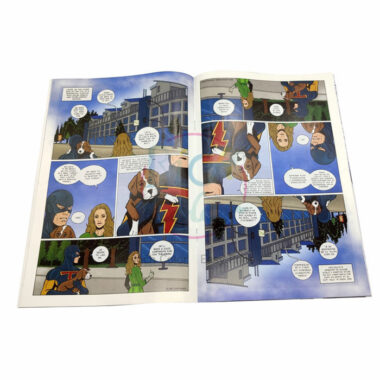
A clean, consistent format is essential. Either DIY using Word or InDesign or hire a designer. Key formatting areas include:
- Margins & Bleed: Follow the printer’s specifications
- Font & Spacing: Serif fonts (like Garamond or Times New Roman), 11–12 pt, 1.15–1.5 line spacing
- Headers & Page Numbers: Align according to book structure
- Chapters & Section Breaks: Clear and consistent throughout
4. Add Front and Back Matter
Your manuscript isn’t complete without these key sections:
- Front Matter: Title page, copyright page, dedication, table of contents (if applicable)
- Back Matter: Acknowledgments, about the author, references, or index
5. Create Print-Ready Files
Most printers require:
- PDF format with embedded fonts and correct margins
- High-resolution images (300 DPI for all graphics)
- CMYK color model for any color printing
💡 Check with your printer to download templates and file specifications.
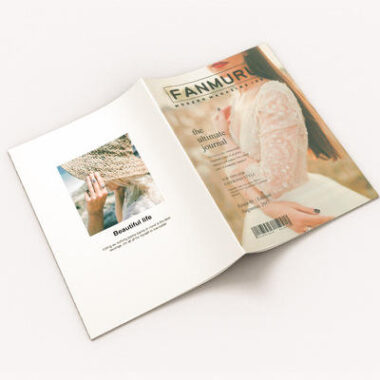
6. Design a Professional Book Cover
Your cover includes the front, back, and spine, and must match the final page count for spine width. Options:
- DIY using templates from platforms like Canva or Adobe Express
- Hire a professional cover designer
Include:
- ISBN barcode (usually on the back)
- Author name and book title (clearly visible)
- Blurb and optional reviews
7. Obtain an ISBN and Barcode
If you plan to sell your book:
- ISBN (International Standard Book Number): Required for most distribution channels
- Barcode: Usually generated once you have your ISBN
💡 Some printers and POD platforms offer ISBNs, but they may limit your distribution rights.
8. Order a Proof Copy
Before you hit “print” on a large order:
- Order a printed proof copy
- Review layout, margins, text alignment, and overall quality
- Make necessary revisions before final approval
Final Thoughts
Preparing your manuscript for professional book printing might seem complex, but taking the time to get it right makes all the difference. A well-prepared manuscript results in a beautifully printed book that you can be proud to share with readers, retailers, or publishers.
✅ Want a printable checklist version of this guide? Just ask!
Would you like help formatting a manuscript or designing a print-ready cover? I can guide you through the tools or help write the specs for your printing service.